React Gemini clone tutorial
In this tutorial you will see how to create a fully functional Gemini clone in react.
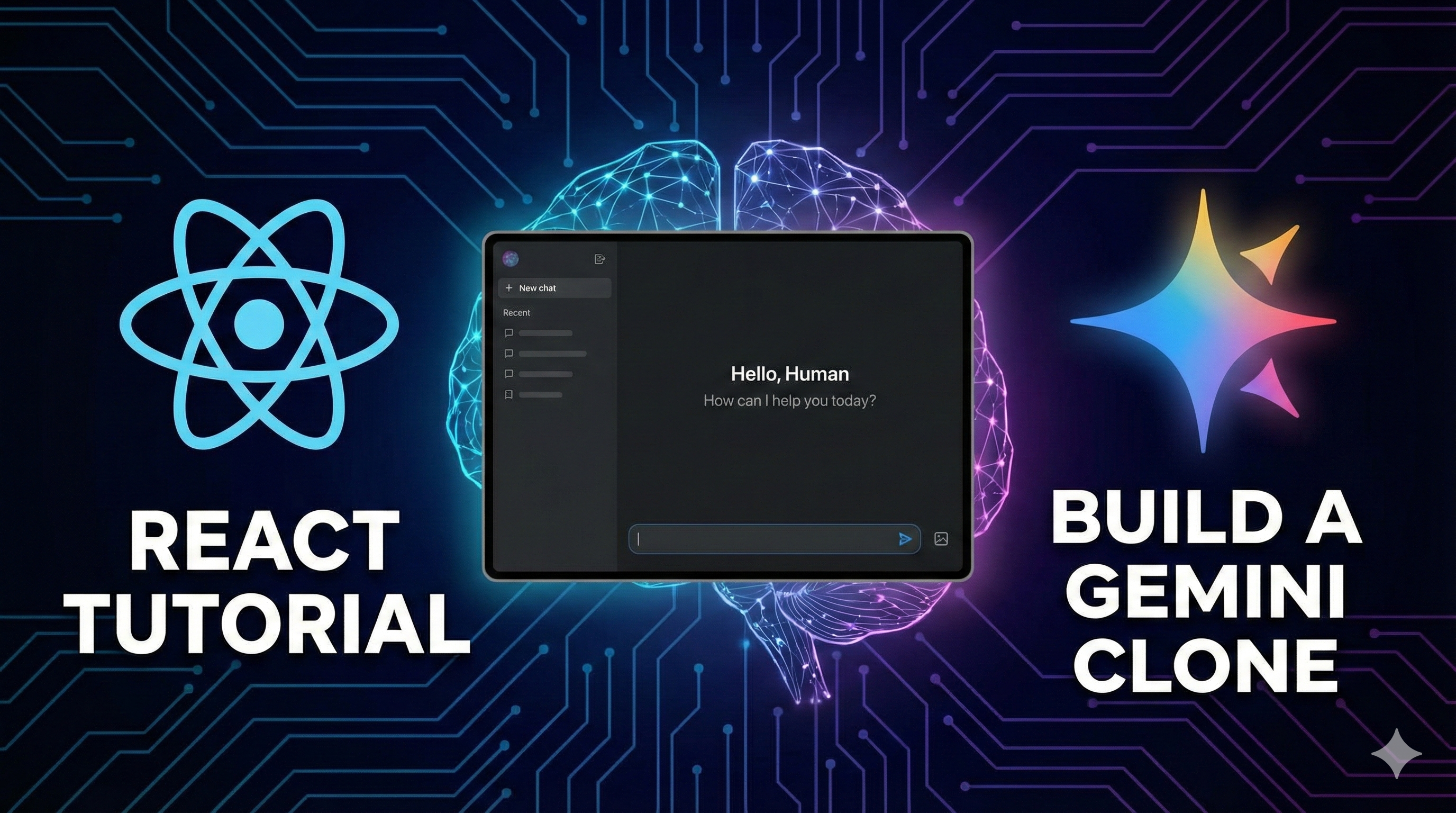
How I "Vibe Coded" a Gemini Clone in React (Full Source Code)
I recently challenged myself to build a fully functional Google Gemini Clone to learn React.js deeper. Instead of following a rigid tutorial, I used a "Vibe Coding" approach: I prompted the AI to scaffold my ideas, then I reverse-engineered the code to understand the logic.
The result? A single-file React application that supports:
* Multimodal Chat: Send text and images to Gemini 2.5 Flash.
* Persistent History: Chats are saved to Local Storage.
* Markdown Rendering: Custom handling for code blocks and tables.
* Dark Mode UI: A pixel-perfect recreation of the Gemini interface.
In this post, I'm sharing the entire source code and breaking down the React concepts that make it work.
Prerequisites
You need Node.js installed. We will use Vite to set up the project quickly.
-
Create the project:
bash npm create vite@latest gemini-clone -- --template react cd gemini-clone -
Install dependencies:
We needlucide-reactfor the icons. We will use standard CSS or Tailwind for styling (the code below uses Tailwind utility classes, so make sure Tailwind is configured or simply use the provided inline styles).
bash
    npm install lucide-react
The Full Project Code
Copy the code below and paste it directly into your src/App.jsx file. This contains the entire logic, UI, and API integration in one place.
import React, { useState, useEffect, useRef } from 'react';
import {
  Menu, Plus, Send, MessageSquare, Settings, User,
  Trash2, X, Sparkles, Image as ImageIcon, Loader2, Copy, Check
} from 'lucide-react';

/* --- 1. Custom Markdown Renderer Component --- */
const CopyButton = ({ text }) => {
  const [copied, setCopied] = useState(false);
  const handleCopy = () => {
    navigator.clipboard.writeText(text);
    setCopied(true);
    setTimeout(() => setCopied(false), 2000);
  };
  return (
    <button onClick={handleCopy} className="p-1 hover:bg-white/10 rounded transition-colors">
      {copied ? <Check size={14} className="text-green-400" /> : <Copy size={14} className="text-gray-400" />}
    </button>
  );
};

const MarkdownRenderer = ({ text }) => {
  const parseInline = (text) => {
    const parts = text.split(/(`[^`]+`)/g);
    return parts.map((part, index) => {
      if (part.startsWith('`') && part.endsWith('`')) {
        return <code key={index} className="bg-[#1e1f20] text-blue-200 border border-gray-700 rounded px-1.5 py-0.5 font-mono text-sm mx-1">{part.slice(1, -1)}</code>;
      }
      return part.split(/(\*\*.*?\*\*)/g).map((subPart, subIndex) => {
        if (subPart.startsWith('**') && subPart.endsWith('**')) return <strong key={subIndex} className="text-white font-bold">{subPart.slice(2, -2)}</strong>;
        return subPart;
      });
    });
  };

  const parts = text.split(/(```[\s\S]*?```)/g);
  return (
    <div className="space-y-1">
      {parts.map((part, index) => {
        if (part.startsWith('```') && part.endsWith('```')) {
          const lines = part.split('\n');
          const lang = lines[0].slice(3).trim();
          const content = lines.slice(1, -1).join('\n');
          return (
            <div key={index} className="bg-[#1e1f20] rounded-lg overflow-hidden my-4 border border-gray-700 shadow-sm">
              <div className="bg-[#2d2e30] px-4 py-2 flex justify-between items-center border-b border-gray-700">
                <span className="text-xs text-gray-400 font-mono lowercase">{lang || 'code'}</span>
                <CopyButton text={content} />
              </div>
              <pre className="p-4 overflow-x-auto text-sm font-mono text-blue-100 leading-relaxed"><code>{content}</code></pre>
            </div>
          );
        }
        return <div key={index} className="whitespace-pre-wrap leading-7">{parseInline(part)}</div>;
      })}
    </div>
  );
};

/* --- 2. Main Application Component --- */
export default function App() {
  // State Management
  const [chats, setChats] = useState([]);
  const [currentChatId, setCurrentChatId] = useState(null);
  const [input, setInput] = useState('');
  const [isLoading, setIsLoading] = useState(false);
  const [showSidebar, setShowSidebar] = useState(true);
  const [showSettings, setShowSettings] = useState(false);
  const [apiKey, setApiKey] = useState('');
  const [attachment, setAttachment] = useState(null);

  const messagesEndRef = useRef(null);
  const fileInputRef = useRef(null);
  const textareaRef = useRef(null);

  // Load from Local Storage
  useEffect(() => {
    const storedChats = localStorage.getItem('gemini-clone-chats');
    const storedKey = localStorage.getItem('gemini-api-key');
    if (storedChats) {
      const parsed = JSON.parse(storedChats);
      setChats(parsed);
      if (parsed.length > 0) setCurrentChatId(parsed[0].id);
      else createNewChat();
    } else {
      createNewChat();
    }
    if (storedKey) setApiKey(storedKey);
  }, []);

  // Save to Local Storage
  useEffect(() => {
    if (chats.length > 0) localStorage.setItem('gemini-clone-chats', JSON.stringify(chats));
  }, [chats]);

  useEffect(() => {
    if (apiKey) localStorage.setItem('gemini-api-key', apiKey);
  }, [apiKey]);

  // Auto-scroll logic
  useEffect(() => {
    messagesEndRef.current?.scrollIntoView({ behavior: "smooth" });
  }, [chats, currentChatId, isLoading]);

  const createNewChat = () => {
    const newChat = { id: Date.now().toString(), title: "New Chat", messages: [] };
    setChats(prev => [newChat, ...prev]);
    setCurrentChatId(newChat.id);
    setAttachment(null);
  };

  const deleteChat = (e, id) => {
    e.stopPropagation();
    const newChats = chats.filter(c => c.id !== id);
    setChats(newChats);
    if (currentChatId === id) {
       if (newChats.length > 0) setCurrentChatId(newChats[0].id);
       else createNewChat();
    }
  };

  const handleFileSelect = (e) => {
    const file = e.target.files[0];
    if (file) {
      const reader = new FileReader();
      reader.onloadend = () => {
        setAttachment({
          data: reader.result.split(',')[1],
          mimeType: file.type,
          preview: reader.result
        });
      };
      reader.readAsDataURL(file);
    }
  };

  const handleSend = async () => {
    if ((!input.trim() && !attachment) || isLoading) return;
    if (!apiKey) { setShowSettings(true); return; }

    const userText = input;
    const userImg = attachment;

    setInput('');
    setAttachment(null);
    setIsLoading(true);

    // Optimistic Update
    setChats(prev => prev.map(chat => {
      if (chat.id === currentChatId) {
        return {
          ...chat,
          messages: [...chat.messages, { role: 'user', text: userText, attachment: userImg?.preview }]
        };
      }
      return chat;
    }));

    try {
      // Prepare History for API
      const currentChat = chats.find(c => c.id === currentChatId);
      const history = currentChat.messages.map(m => ({
        role: m.role === 'user' ? 'user' : 'model',
        parts: [{ text: m.text }]
      }));

      // Add Current Message
      const parts = [];
      if (userText) parts.push({ text: userText });
      if (userImg) parts.push({ inlineData: { mimeType: userImg.mimeType, data: userImg.data } });

      history.push({ role: 'user', parts });

      const res = await fetch(`https://generativelanguage.googleapis.com/v1beta/models/gemini-2.5-flash-preview-09-2025:generateContent?key=${apiKey}`, {
        method: 'POST',
        headers: { 'Content-Type': 'application/json' },
        body: JSON.stringify({ contents: history })
      });

      const data = await res.json();
      const aiText = data.candidates?.[0]?.content?.parts?.[0]?.text || "Error generating response.";

      setChats(prev => prev.map(chat => {
        if (chat.id === currentChatId) {
          return { ...chat, messages: [...chat.messages, { role: 'model', text: aiText }] };
        }
        return chat;
      }));
    } catch (e) {
      console.error(e);
    } finally {
      setIsLoading(false);
    }
  };

  const activeChat = chats.find(c => c.id === currentChatId) || { messages: [] };

  return (
    <div className="flex h-screen w-full bg-[#131314] text-gray-100 font-sans overflow-hidden">
      {/* Sidebar */}
      <div className={`${showSidebar ? 'w-[280px]' : 'w-0'} bg-[#1e1f20] transition-all duration-300 overflow-hidden flex flex-col border-r border-gray-800`}>
        <div className="p-4">
           <button onClick={createNewChat} className="w-full flex items-center gap-3 px-4 py-3 bg-[#1a1a1c] rounded-full text-sm mb-6"><Plus size={18}/> New chat</button>
           <div className="flex flex-col gap-1 overflow-y-auto h-[calc(100vh-160px)]">
             {chats.map(chat => (
               <div key={chat.id} onClick={() => setCurrentChatId(chat.id)} className={`flex justify-between p-2 rounded-full cursor-pointer text-sm ${chat.id === currentChatId ? 'bg-[#004a77]/30 text-blue-100' : 'hover:bg-[#282a2c]'}`}>
                 <span className="truncate">{chat.title}</span>
                 <Trash2 size={14} onClick={(e) => deleteChat(e, chat.id)} className="hover:text-red-400"/>
               </div>
             ))}
           </div>
        </div>
        <div className="mt-auto p-4 border-t border-gray-800">
           <button onClick={() => setShowSettings(true)} className="flex gap-2 text-sm text-gray-400 hover:text-white"><Settings size={16}/> Settings</button>
        </div>
      </div>

      {/* Main Chat Area */}
      <div className="flex-1 flex flex-col relative">
        <div className="flex items-center justify-between p-4 bg-[#131314]">
           <button onClick={() => setShowSidebar(!showSidebar)} className="text-gray-400"><Menu/></button>
           <span className="font-medium">Gemini Clone</span>
        </div>

        <div className="flex-1 overflow-y-auto p-4 scroll-smooth">
           {activeChat.messages.map((msg, i) => (
             <div key={i} className={`flex gap-4 mb-6 ${msg.role === 'user' ? 'justify-end' : ''}`}>
               {msg.role === 'model' && <div className="w-8 h-8 rounded-full bg-blue-500/20 flex items-center justify-center"><Sparkles size={16} className="text-blue-400"/></div>}
               <div className={`max-w-[80%] ${msg.role === 'user' ? 'bg-[#282a2c] rounded-2xl px-5 py-3' : ''}`}>
                 {msg.attachment && <img src={msg.attachment} className="max-w-[300px] rounded-lg mb-2"/>}
                 <MarkdownRenderer text={msg.text} />
               </div>
             </div>
           ))}
           <div ref={messagesEndRef} />
        </div>

        {/* Input Area */}
        <div className="p-4 flex justify-center bg-[#131314]">
          <div className="w-full max-w-3xl bg-[#1e1f20] rounded-[28px] p-2 flex items-end border border-gray-700">
             <button onClick={() => fileInputRef.current.click()} className="p-2 text-gray-400 hover:text-white"><Plus/></button>
             <input type="file" ref={fileInputRef} onChange={handleFileSelect} className="hidden" accept="image/*"/>

             <div className="flex-1">
                {attachment && <div className="text-xs text-blue-300 p-2">Image attached</div>}
                <textarea
                  value={input}
                  onChange={e => setInput(e.target.value)}
                  onKeyDown={e => e.key === 'Enter' && !e.shiftKey && (e.preventDefault(), handleSend())}
                  className="w-full bg-transparent border-none outline-none text-gray-100 p-2 resize-none max-h-40"
                  placeholder={apiKey ? "Ask anything..." : "Set API Key in Settings..."}
                />
             </div>
             <button onClick={handleSend} disabled={isLoading} className="p-2 text-white"><Send size={18}/></button>
          </div>
        </div>

        {/* Settings Modal */}
        {showSettings && (
           <div className="absolute inset-0 bg-black/80 flex items-center justify-center z-50">
             <div className="bg-[#1e1f20] p-6 rounded-2xl w-96 border border-gray-800">
                <div className="flex justify-between mb-4"><h3>Settings</h3><X onClick={() => setShowSettings(false)} className="cursor-pointer"/></div>
                <input type="password" placeholder="Gemini API Key" value={apiKey} onChange={e => setApiKey(e.target.value)} className="w-full bg-[#131314] p-3 rounded-lg border border-gray-700 outline-none text-white"/>
                <button onClick={() => setShowSettings(false)} className="mt-4 w-full bg-blue-600 py-2 rounded-full">Save</button>
             </div>
           </div>
        )}
      </div>
    </div>
  );
}
Understanding the "Vibe Code" Logic
If you look closely at the code above, here are the key React concepts making it tick:
1. State for Persistence
We use useEffect to check localStorage as soon as the app loads. This ensures your chats aren't lost when you refresh.
useEffect(() => {
  const storedChats = localStorage.getItem('gemini-clone-chats');
  if (storedChats) setChats(JSON.parse(storedChats));
}, []);
2. Optimistic UI Updates
Notice in the handleSend function, we update the chats state before we even get a response from the API. This makes the app feel incredibly fast.
setChats(prev => prev.map(chat => ...)); // Update UI immediately
const res = await fetch(...); // Then wait for API
3. Custom Markdown Rendering
Instead of using a heavy library, I wrote a lightweight MarkdownRenderer component. It splits the text by code blocks (```) and creates a custom UI for code snippets, including a "Copy" button.
4. Multimodal Support
The handleFileSelect reads images as Base64 strings. When sending to the Gemini API, we use the inlineData parameter to pass this image data along with the text prompt.
Final Thoughts
This project proves that you don't need complex backends to build powerful AI apps. With React, LocalStorage, and the Gemini API, you can build a production-ready clone in a single file!
Comments (1)